👺
Profile
📚
Books
📒
Dictionary
👋
Logout
👋 Sign in / up
⛩️ Sign in / Sign up
😞
🎉 The mail with link has been successfully sent to your postbox
Agree with
service terms
&
privacy policy
。
1:1
on page turn:
fit to screen
fit to width
original size
keep zoom level
right to left
display two pages
first page is cover
ctrl+mouse to move
OCR enabled
display boxes outlines
drag translation window
editable text
font size:
auto
9
10
11
12
14
16
18
20
24
32
40
48
60
e-ink mode
toggle OCR text boxes on click
reset settings
close viewer
about/help
Instructions:
Navigate pages with:
menu buttons
Page Up, Page Down, Home, End keys
by clicking left/right edge of the screen
Click ✕ button to hide the menu. To bring it back, clip top-left corner of the screen.
Click
button to close the book viewer.
Select "editable boxes" option, to edit text recognized by OCR. Changes are not saved, it's only for ad-hoc fixes when using look-up dictionary.
E-ink mode turns off animations and simulates display refresh on each page turn.
HTML overlay generated with mokuro
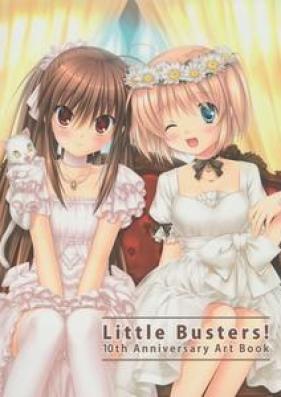
[Artbook] Little Busters! 10th Anniversary Art Book
🤫 You can read more books & manga 📚📚📚 if
sign in
👋 on our site! ⛩️ 🤓
Chapters
Little Busters! 10th Anniversary Art Book